Building StreamTrack: A Full-Stack Mobile App for Tracking What You Watch
Keeping track of what you’re watching across five different streaming services is surprisingly hard. You start a series on Netflix, continue it on a different device, forget what episode you were on, and end up rewatching fifteen minutes you’ve already seen.
But there’s another problem I run into constantly: someone recommends a series, or I stumble across something interesting in an article, a trailer, or an ad — and the first question is always “where do I actually watch this?” I Google it, and every result assumes I’m in the US. Netflix US, Hulu, HBO Max, Peacock — none of which help me if I’m in Europe. The thing is, streaming catalogues aren’t global. A series that’s on Netflix in the US might be on HBO in Spain, on Amazon in Germany, or simply unavailable where you are until a completely different date. Sometimes it’s not even on streaming — it’s on a cable channel or a regional service you’d never think to check.
I wanted a single place — my place — to solve both problems: know what I’m watching and where I left off, and instantly see where something is available in my country, on my services. So I built one.
This is StreamTrack: a full-stack mobile app built with Flutter, FastAPI, Supabase, and Google Cloud Run, currently in its first beta test.
⚠️ This project is actively under development. Everything described here represents the current state of the first beta. Features, architecture, and decisions are evolving. This article will be updated as the app grows.
What StreamTrack Does
StreamTrack lets you:
- Search series and movies (powered by TMDB + OMDB)
- Track your progress per season and episode
- Know what’s next — always see the next episode you haven’t watched
- See where to watch — streaming availability by country (Netflix, HBO, Disney+…)
- Configure your platforms — the app highlights what’s available on your services
- Get daily updates — new episodes, season premieres, status changes for everything in your list
- Rate series and individual episodes (1–5 stars)
- Share — send a series card (name, ratings, synopsis, where to watch) to anyone
Why Build It Instead of Using an Existing App?
Mainly because I wanted to. But also:
- Existing trackers are either too social (Letterboxd, Trakt) or too bloated
- Streaming availability data is rarely accurate or region-aware
- I wanted to experiment with a full-stack mobile architecture end-to-end — from API design to mobile deployment
- It’s a great playground for decisions I make daily at work (auth, cloud hosting, data modeling) but applied to something personal
Tech Stack
| Layer | Technology | Why |
|---|---|---|
| Mobile | Flutter (iOS + Android) | Single codebase, strong performance, dark theme out of the box |
| Backend | Python + FastAPI | Async, fast to prototype, Swagger auto-generated, familiar |
| Auth | Supabase Auth (JWT/ES256) | Free tier, 50K MAU, integrates cleanly with PostgreSQL |
| Database | Supabase PostgreSQL | Relational, SQL-native, no vendor lock-in, $0 to start |
| Hosting | Google Cloud Run | 2M req/month free, scales to zero, no cold start problem |
| Data | TMDB API + OMDB API | TMDB for everything; OMDB to enrich with IMDB/RT/Metacritic |
Architecture
The architecture follows a clean separation between the mobile client and the backend API. The app never talks to TMDB or Supabase directly from the device — everything goes through the FastAPI backend. This keeps API keys off the device and centralizes cache and business logic.
┌──────────┐     ┌──────────────┐     ┌─────────────────┐     ┌──────────┐
│  Flutter │────▶│ Supabase     │     │ Google Cloud Run│────▶│ TMDB     │
│  App     │     │  Auth (JWT)  │     │ (FastAPI)       │────▶│ OMDB     │
│  iOS/and │     └──────────────┘     │  $0 free tier   │     └──────────┘
│          │──── Bearer token ──────▶│                 │
│          │◀──── JSON data ─────────│                 │
│ SQLite   │                          └────────┬────────┘
│ (cache)  │                                   │
└──────────┘                          ┌────────┴──────────┐
                                       │ Supabase PostgreSQL│
                                       │ (user data, lists) │
                                       └───────────────────┘
Why a backend instead of going BaaS-direct?
It’s tempting to have the Flutter app talk directly to Supabase. It’s simpler to set up. But it means putting your TMDB/OMDB API keys inside the app bundle — where anyone can extract them. Beyond security, a backend also means:
- Shared cache — one TTL-based in-memory cache for all users instead of each device hammering TMDB independently
- Updatable logic — fix a bug or add a feature without pushing a new app version
- Controlled rate limiting — OMDB allows 1,000 req/day free; with a backend that’s easily manageable
Key Decisions
Supabase over Firebase
Firebase was the obvious first choice. But once I looked at the data model — series, seasons, episodes, watched episodes, user ratings, per-user platform config — it’s fundamentally relational. Firestore’s document model fights you at every join.
Supabase gives me PostgreSQL (real SQL, real foreign keys, real joins) with auth and a decent free tier. Same 50K MAU gratis. Same Google OAuth and Apple Sign In support. And the auth integrates with the database via Row Level Security. It was the right fit.
| Firebase Firestore | Supabase PostgreSQL | |
|---|---|---|
| Data model | Documents / collections | Relational SQL |
| For series/episodes/users | ⚠️ Awkward (relational data) | ✅ Natural (JOINs, FK) |
| Vendor lock-in | ❌ Google proprietary | ✅ Standard PostgreSQL |
| Cost at scale | Unpredictable (pay-per-read) | Predictable ($25/month fixed) |
Cloud Run over Railway/Render
| Render Free | Railway | Cloud Run | |
|---|---|---|---|
| Cold start | ⚠️ 30–60s | None | ~2s |
| Free tier | 750h/month | $5/month minimum | 2M req/month |
| Auto-scale | No | No | Yes |
| Pay model | Fixed | Fixed | Pay per use |
A 30-second cold start on Render Free is a deal-breaker for a mobile API. Cloud Run scales to zero (costs nothing when idle) and wakes in ~2 seconds. The free tier covers the entire beta phase comfortably.
Flutter over React Native
I had prior experience with Flet (Python’s Flutter wrapper), so the widget model wasn’t completely new. Flutter’s dark theme support is first-class, the animation primitives are clean, and the hot reload cycle is fast. A single codebase runs natively on both iOS and Android with no compromise on performance.
Backend Design
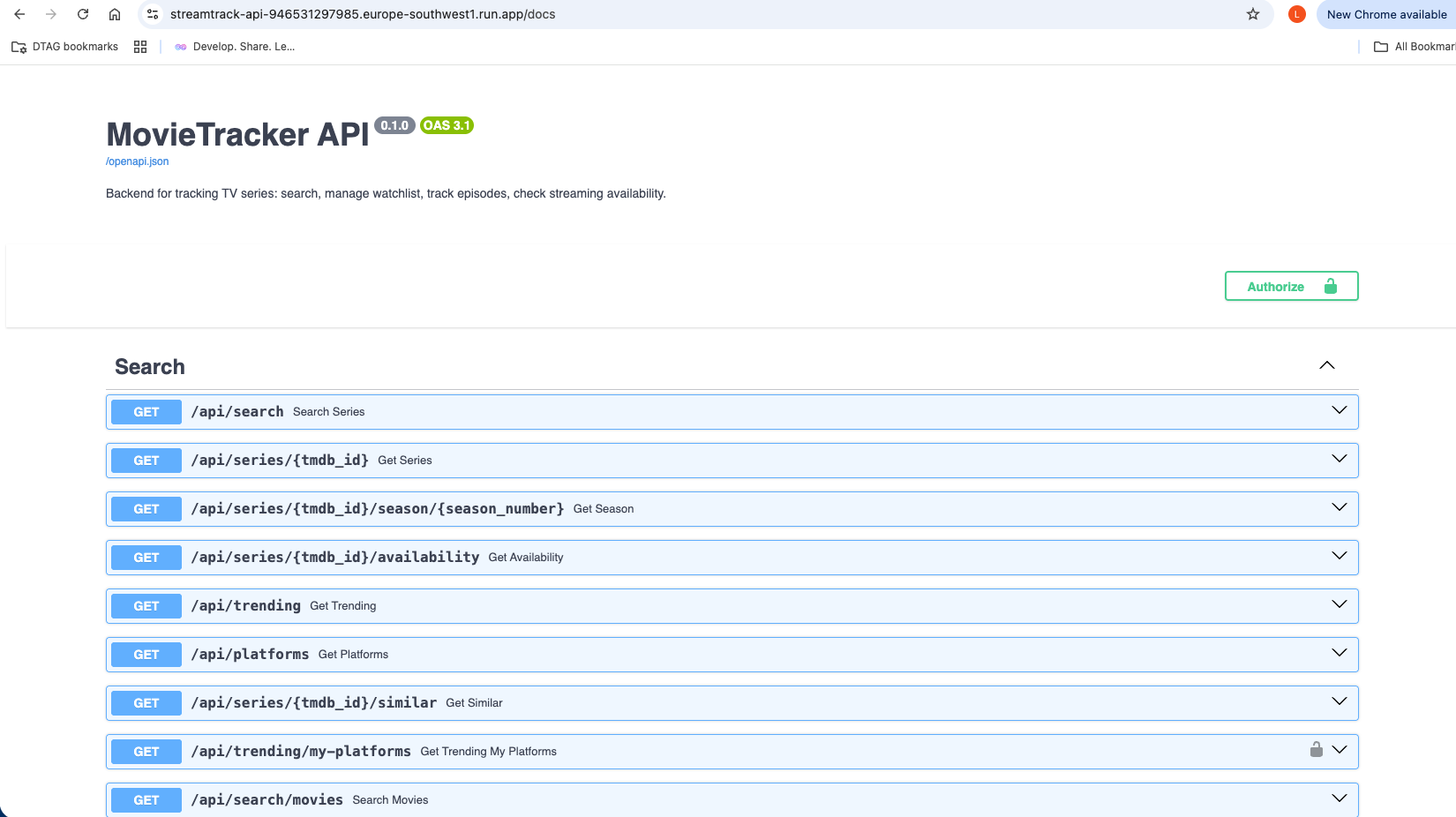
The FastAPI backend exposes a clean REST API with Swagger UI at /docs. A few
design choices worth noting:
TTL Cache in memory — TMDB search results are cached for 15 minutes, series detail for 1 hour, streaming availability for 6 hours. This keeps API calls minimal without needing Redis or any external cache layer.
Multi-language and multi-country — every endpoint accepts lang and country
params. The same API serves a user in Spain (Netflix ES catalogue) and a user in
Germany (Netflix DE catalogue) without any code changes.
Upcoming episodes — /api/me/upcoming tells you exactly what episode you
should watch next in every series you’re currently following. It’s the feature I
use most.
GET  /api/me/upcoming              → Next episodes for "watching" series
GET  /api/me/whats-new             → New episodes / season premieres in my list
GET  /api/trending/my-platforms    → Trending filtered by the user's services
GET  /api/series/{id}/similar      → "You might also like" recommendations
The Flutter App
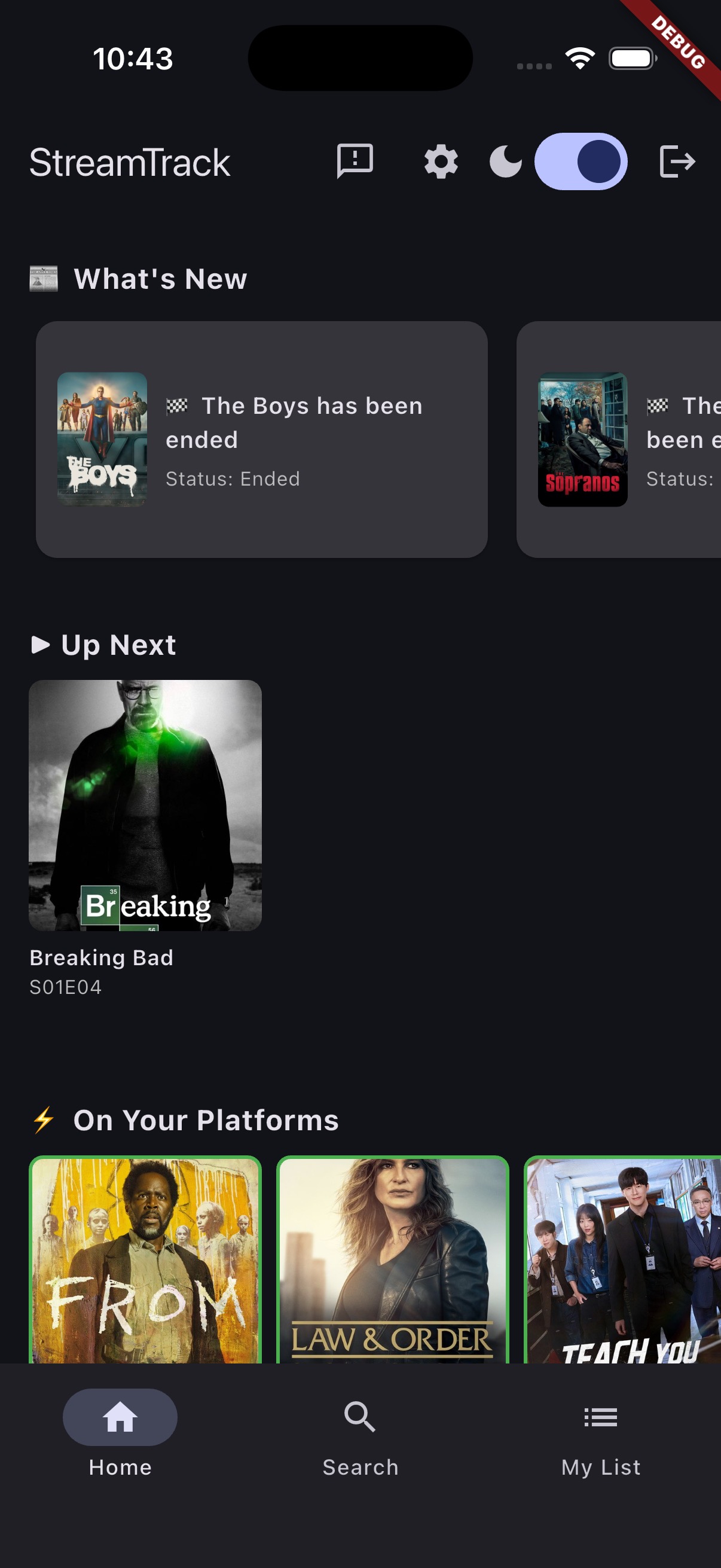
The app has three main tabs: Home, Search, and My List. A Settings screen lets you configure your preferred streaming platforms — once set, the app highlights available content everywhere.
Home
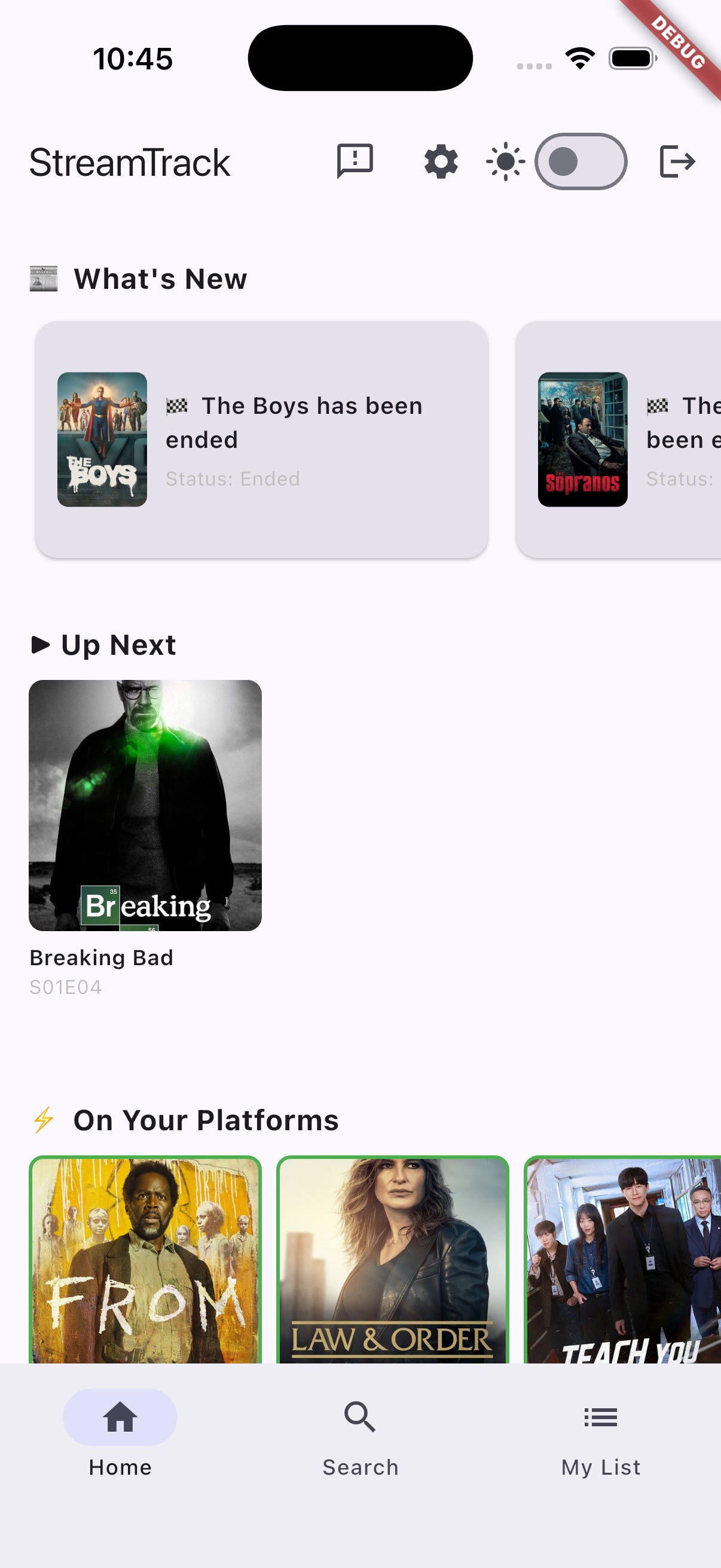
Four sections load on startup: What’s New (updates from your list), Up Next (your immediate watchlist), On Your Platforms (trending content on your services), and Trending (global top 20 for the week). All sections use shimmer skeletons while loading — no blank screens.
Search
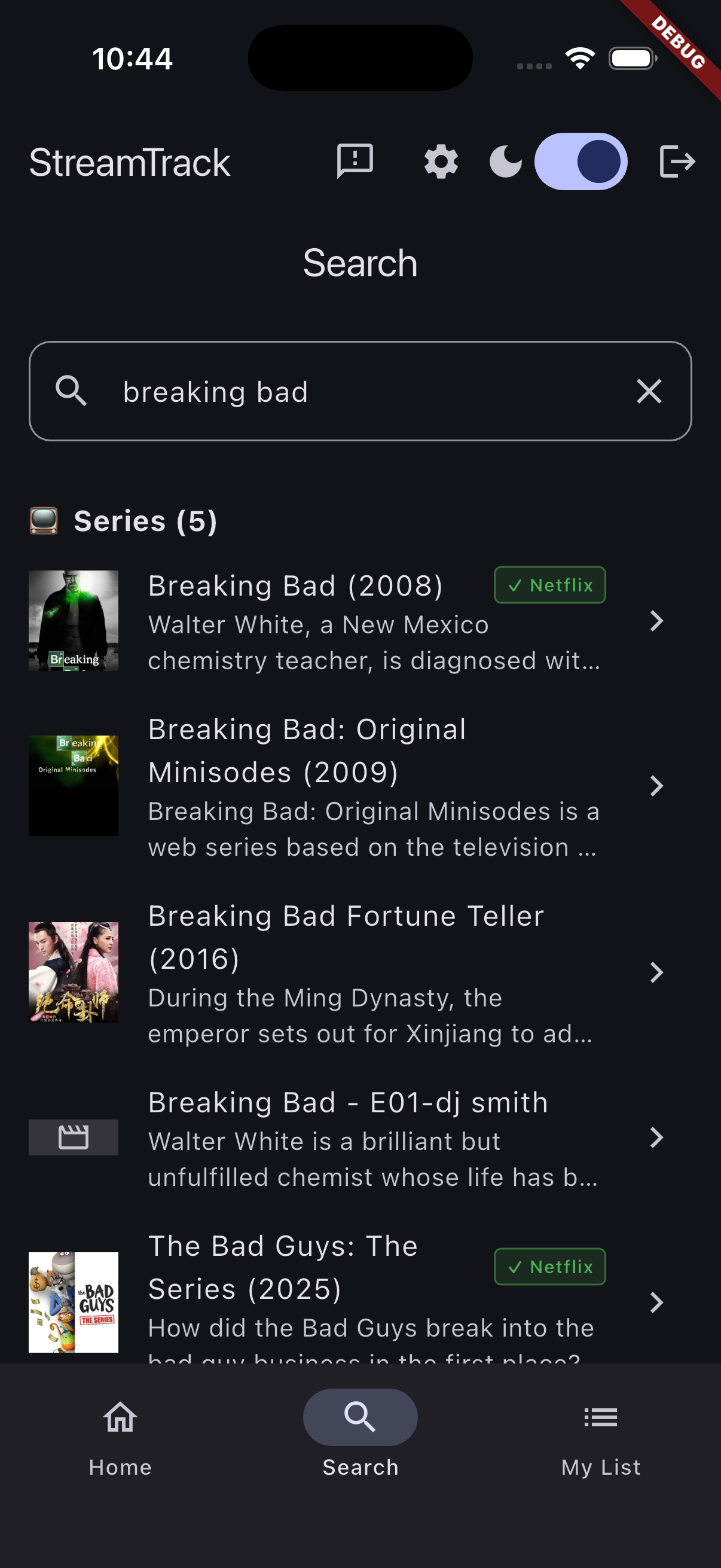
A single search box returns series and movies in separate sections. Results badge in green if the title is available on one of your configured platforms — the check happens lazily in background, so the UI isn’t blocked.
Series Detail
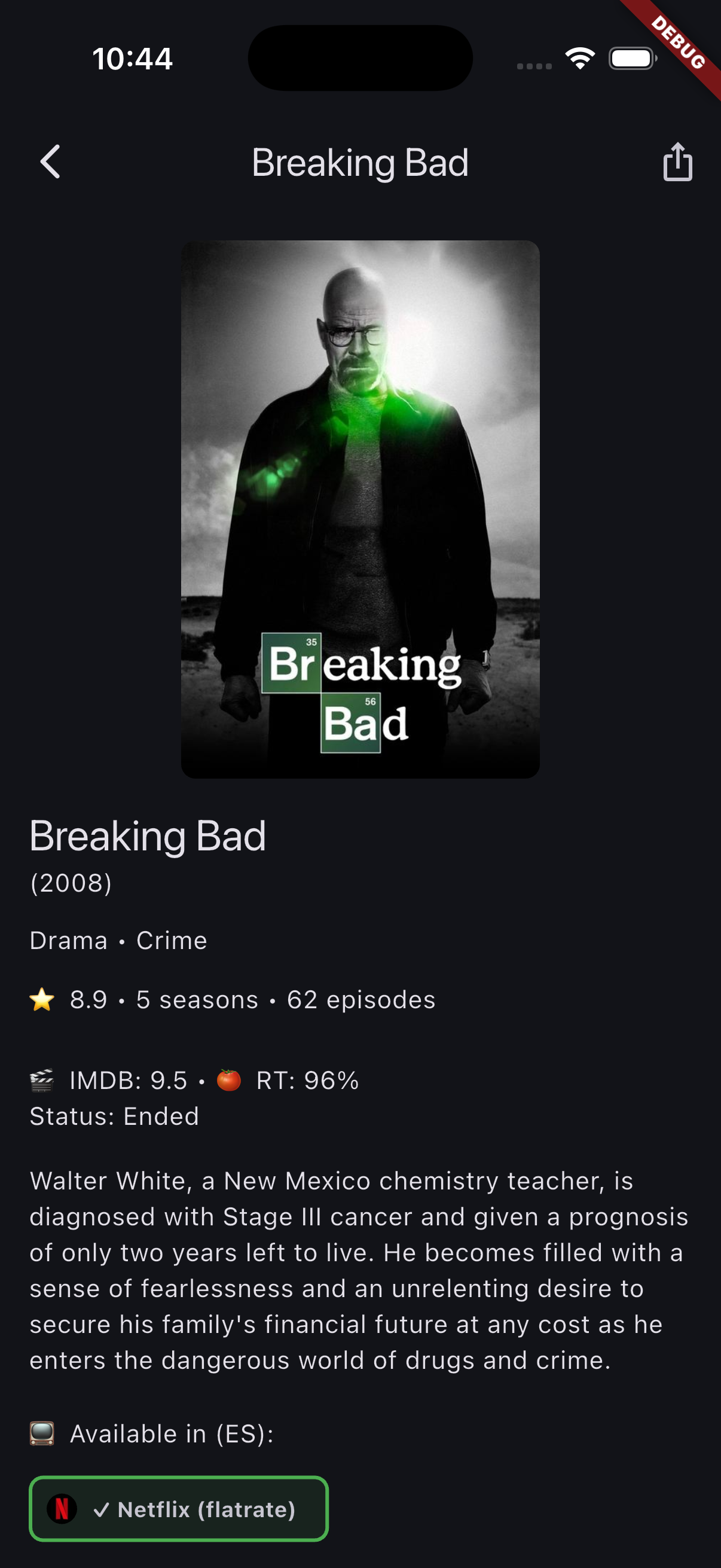
The detail screen shows poster, all three ratings (TMDB / IMDB / Rotten Tomatoes), synopsis, streaming availability chips with platform logos, a “You might also like” horizontal scroll, and the full season and episode breakdown. Episodes are interactive — tap to expand synopsis, checkbox to mark as watched. The status banner at the top shows your current progress and lets you change platform or status in one tap.
My List
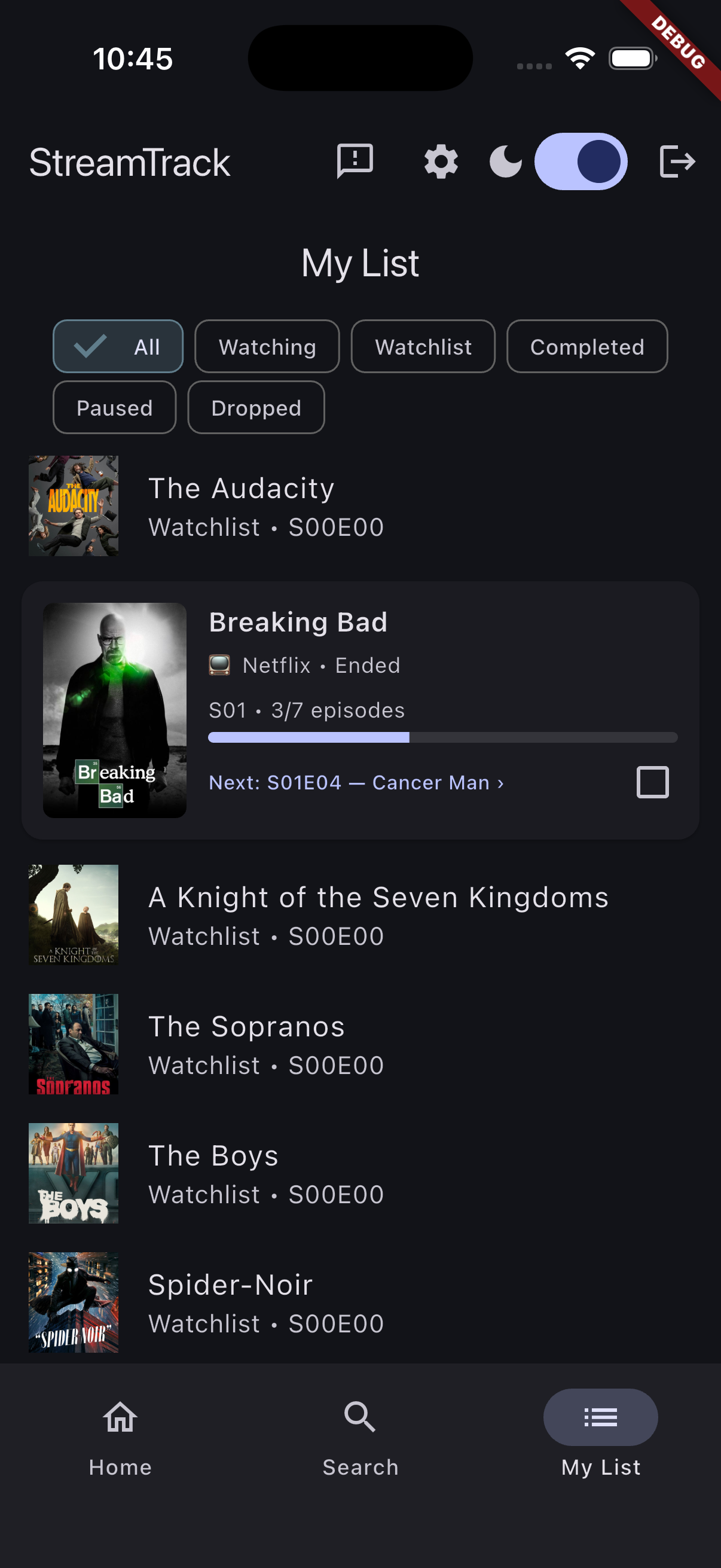
Filter chips let you switch between All, Watching, Completed, and On Hold. Cards show poster, platform, progress (S02E04), and the name of the next episode. Swipe to delete with an undo snackbar. Pull to refresh. Within Watching, series with pending episodes float to the top.
Settings
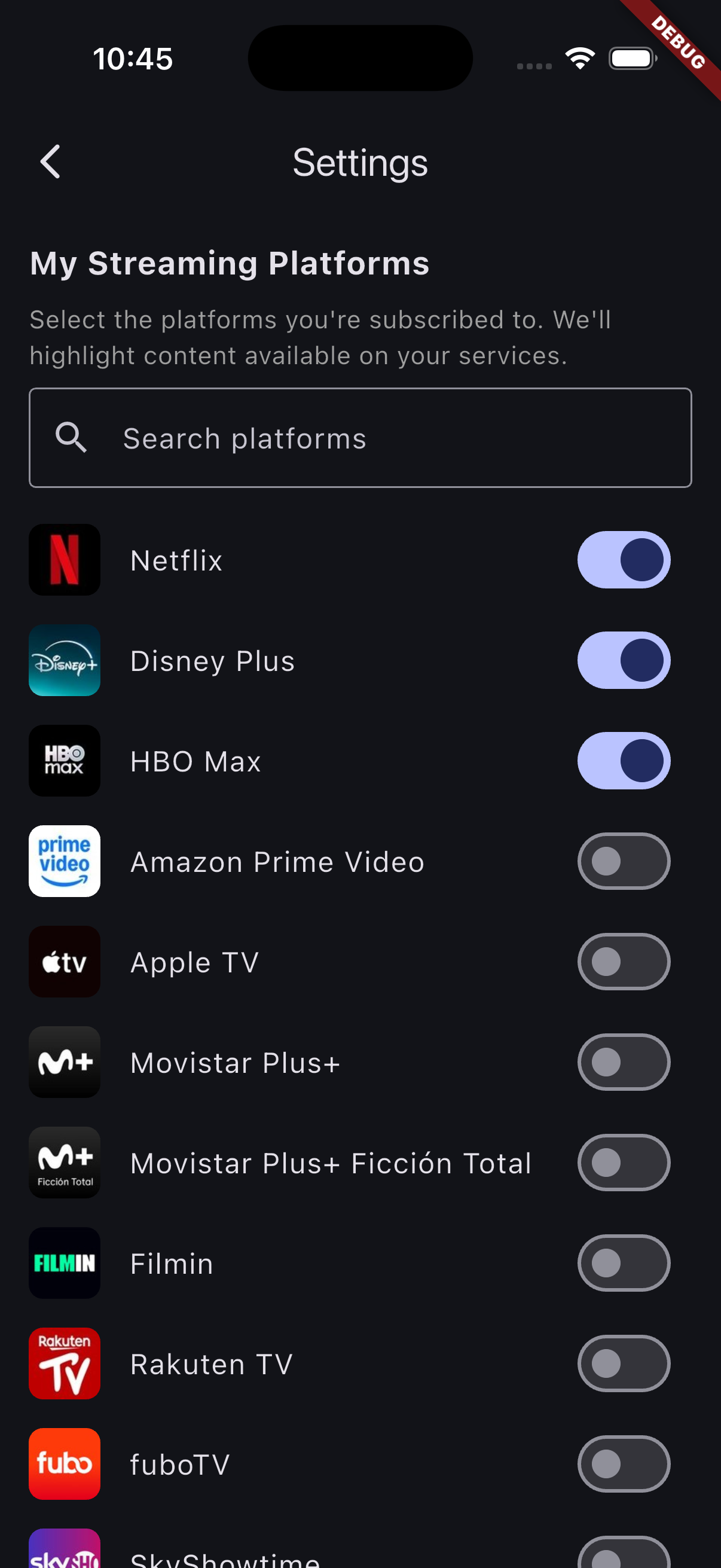
The settings screen loads all available streaming platforms for your country dynamically from the API, complete with logos. Toggle your services on or off — changes save automatically. Selected platforms move to the top. From that moment, the entire app adapts: Home filters trending content to your services, Search badges matching results, and Detail highlights where you can actually watch something.
Light / Dark Mode
The app ships with full light and dark theme support. The toggle lives in the AppBar — state persists across sessions. All status colors (watching, completed, on hold, planned) adapt correctly to both themes.
Distribution: First Beta
Android testers receive APKs via a build script that packages the release build and distributes it directly — no Play Store required for beta. iOS installation is currently manual (cable + Xcode), with TestFlight planned before the public launch.
The backend runs on Cloud Run (Madrid region, europe-southwest1) and the database
is live on Supabase PostgreSQL. Beta users authenticate with email and password via
Supabase Auth. Google Sign In and Apple Sign In are next on the roadmap before the
public store submission.
What’s Next
| Feature | Status |
|---|---|
| Google Sign In + Apple Sign In | 🔜 Next |
| Push notifications (new episodes) | Planned |
| AdMob + RevenueCat (freemium model) | Planned |
| Play Store + App Store | Planned |
The freemium model is straightforward: core tracking features are free with ads, and a premium subscription removes ads and unlocks advanced features — to be defined as beta feedback comes in.
Closing Thoughts
StreamTrack started as a personal itch to scratch and turned into a full production-grade architecture: mobile + API + auth + cloud hosting, all for $0/month at beta scale.
The most interesting part wasn’t the features — it was the sequence of decisions: why a backend over BaaS-direct, why Supabase over Firebase, why Cloud Run over Render. Each one had a concrete technical reason, not just preference.
The beta is running. If you’re interested in trying it or following the progress, reach out — I’d love the feedback.
Last updated: June 2026